PRISM v0.2

A graphical desktop for the Color Computer 3

PRISM

A Finder-style desktop shell for the TRS-80 Color Computer 3 — menu bar, drive icons, windows and a mouse — written natively for the CoCo 3 and running on NitrOS-9.

NitrOS-9 / EOU GIME hardware graphics A native OS-9 program Free — a community gift
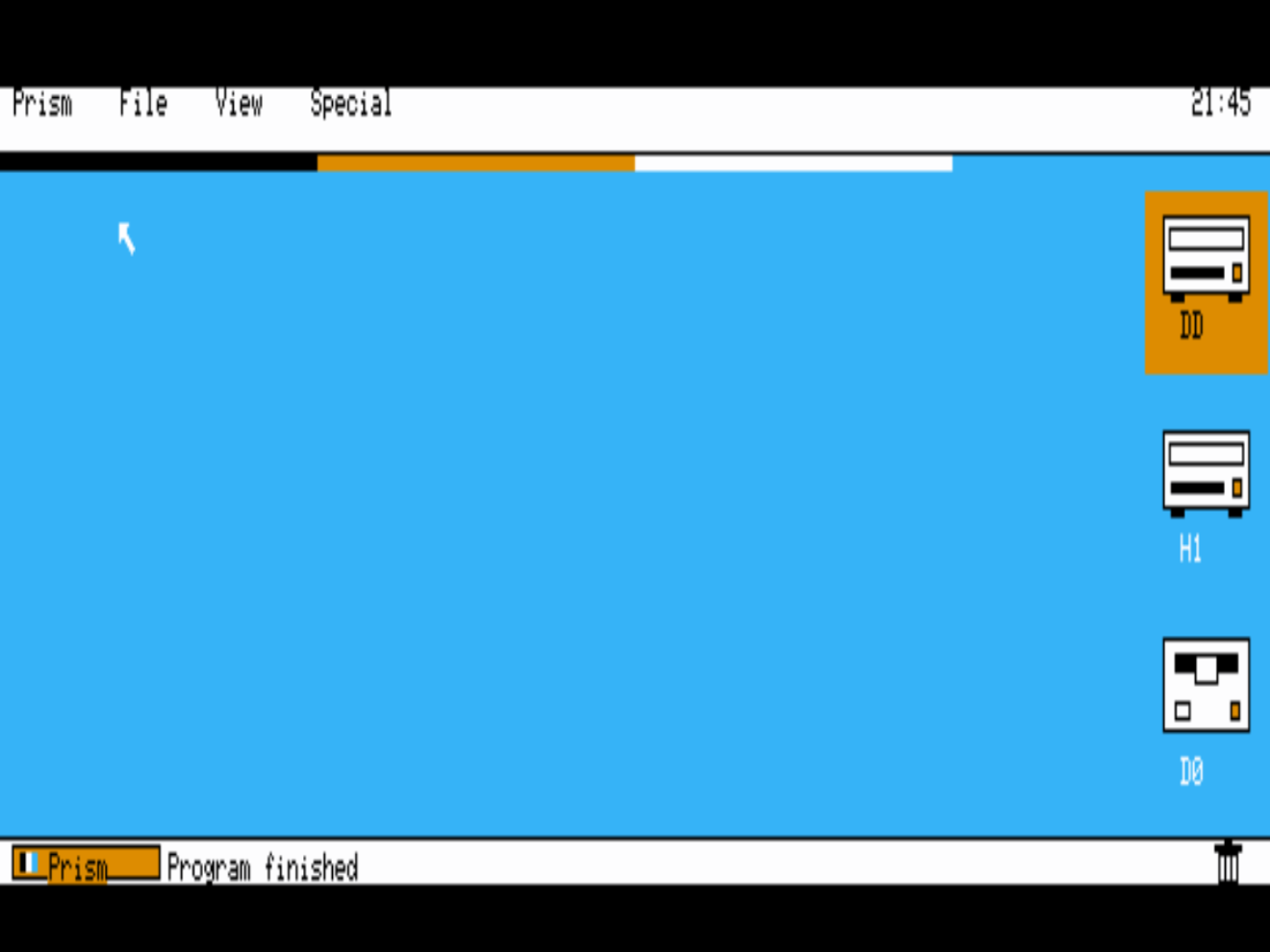
The Prism desktop: a menu bar reading Prism, File, View, Special across the top with a clock at the right, three drawn drive icons down the right side of a solid blue desktop, a Prism launcher button at bottom left, and the mouse pointer.
The Prism desktop — 640 × 200 on the CoCo 3’s GIME graphics In development · v0.2
01

What it is

Prism is a graphical desktop for a machine that shipped in 1986 with a command line. It gives the Color Computer 3 the kind of interface its hardware was always capable of: a menu bar, icons for your drives, windows that open onto real directories, and a mouse pointer to drive it all.

It began with a simple comparison. Put the CoCo 3’s stock shell beside the polished graphical desktops of its era and the gap is obvious — not in the hardware, which has real graphics modes, a 64-colour palette and a proper multitasking operating system in NitrOS-9, but in the shell nobody ever wrote for it. Prism is that shell.

It is written from scratch in C, cross-compiled with modern tools and built directly against the NitrOS-9 windowing system, so it runs as a native OS-9 program — on top of the EOU (Ease of Use) distribution today, and on a real CoCo 3 as faithfully as in an emulator.

The project belongs to Keith Clark of Rodney, Ontario — a CoCo owner since the beginning, who came up through the CoCo 1 and 2 to the CoCo 3 and never really left. Prism is his tribute to the machine, and to the small, stubborn community that has kept it alive for forty years.

So it is being built the way community software should be: in the open, with original code, honest screenshots, and a release anyone can boot. When it is ready, it will simply be given away.

“The graphical environment is way better than the gshell in OS-9! This what I want for the CoCo.” — Keith, on seeing the GS/OS Finder — the brief Prism was built to
02

Features

Prism is under active development. This list is kept honest: what you can use today, in the verified v0.2 build — and what is on the bench right now.

Working today

Verified in v0.2

  • Menu bar — Prism, File, View and Special menus, with pull-downs
  • Desktop drive icons — /DD, /H1 and /D0 down the right of the screen, drawn as the hardware they are: hard-drive units, and a floppy for /D0
  • Double-click opening — double-click a drive icon and its window opens
  • Directory windows — open a drive and browse its real contents, with close box and drop shadow
  • Draggable windows — pick a window up by its title bar and put it where you want it
  • Program launching — run programs from a window instead of typing paths
  • The Prism button — a Start-style launcher, bottom-left, for programs, drives and settings
  • Menu-bar clock — hours and minutes at the right of the menu bar, redrawn once a minute so it costs nothing
  • Mouse pointer — full pointer control with click-to-select
  • A unique CoCo identity — Prism’s own chrome and finish: flat colours, a smaller interface font, polished to a professional standard
  • Two themes — the curated colour theme, and Classic Mono, switchable live from the View menu
  • Runs on NitrOS-9 EOU — install it in the CMDS directory and type prism
  • Hi-res screen — a 640 × 200 graphics desktop on the GIME, in four palette colours
  • Clean exit — quit straight back to the OS-9 shell prompt

In development

On the bench now

  • A self-booting release disk — one image that boots straight into Prism
03

Screenshots

Real screens from the running program, captured from the emulator — no mock-ups. These are current shots (v0.2): Prism’s own CoCo identity, with drawn hardware icons, flat colour and the smaller interface font.

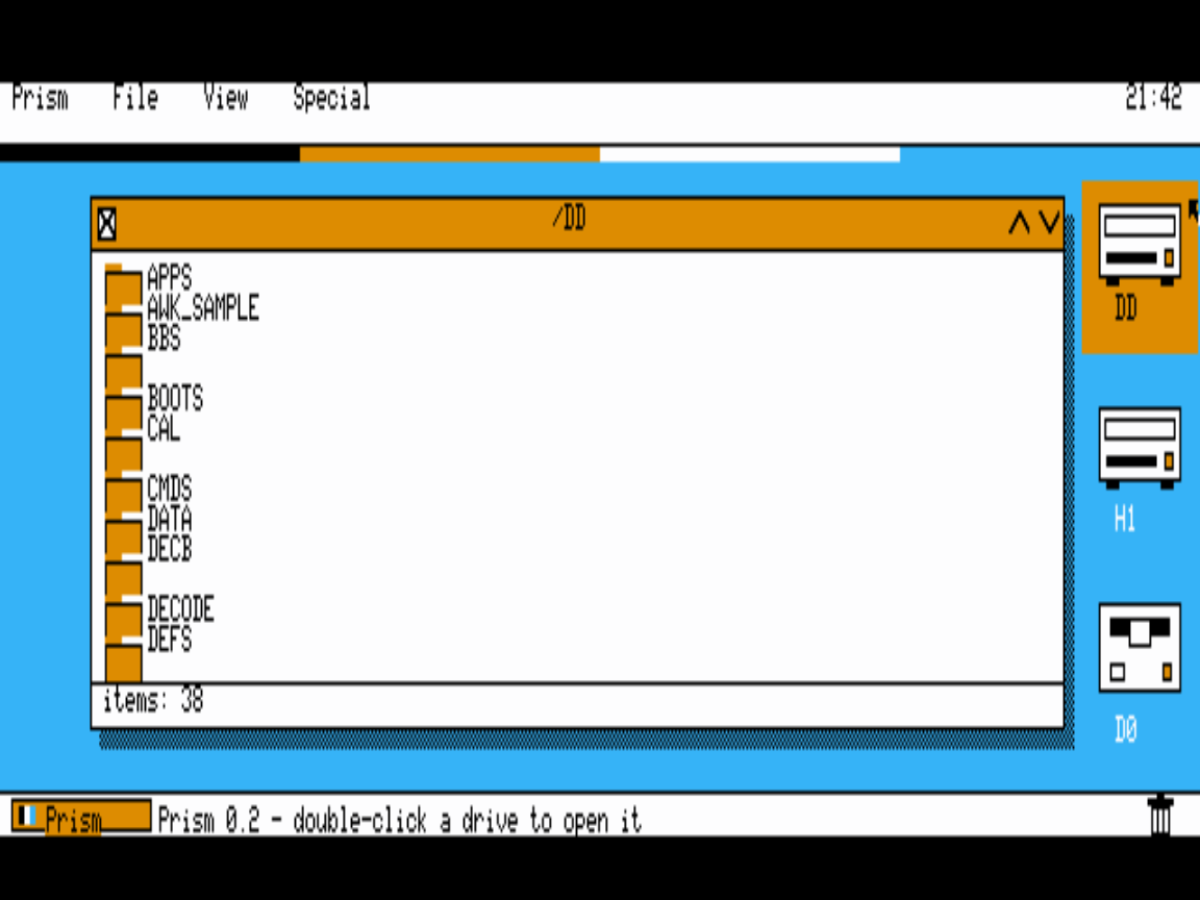
A Prism directory window open on the /DD drive, its amber title bar and drop shadow over the blue desktop, listing real folders — APPS, BBS, BOOTS, CMDS, DEFS and more — with an item count along the bottom.
v0.2 A directory window on /DD The EOU system drive’s real contents — opened with a double-click, in a window you can drag by its amber title bar.
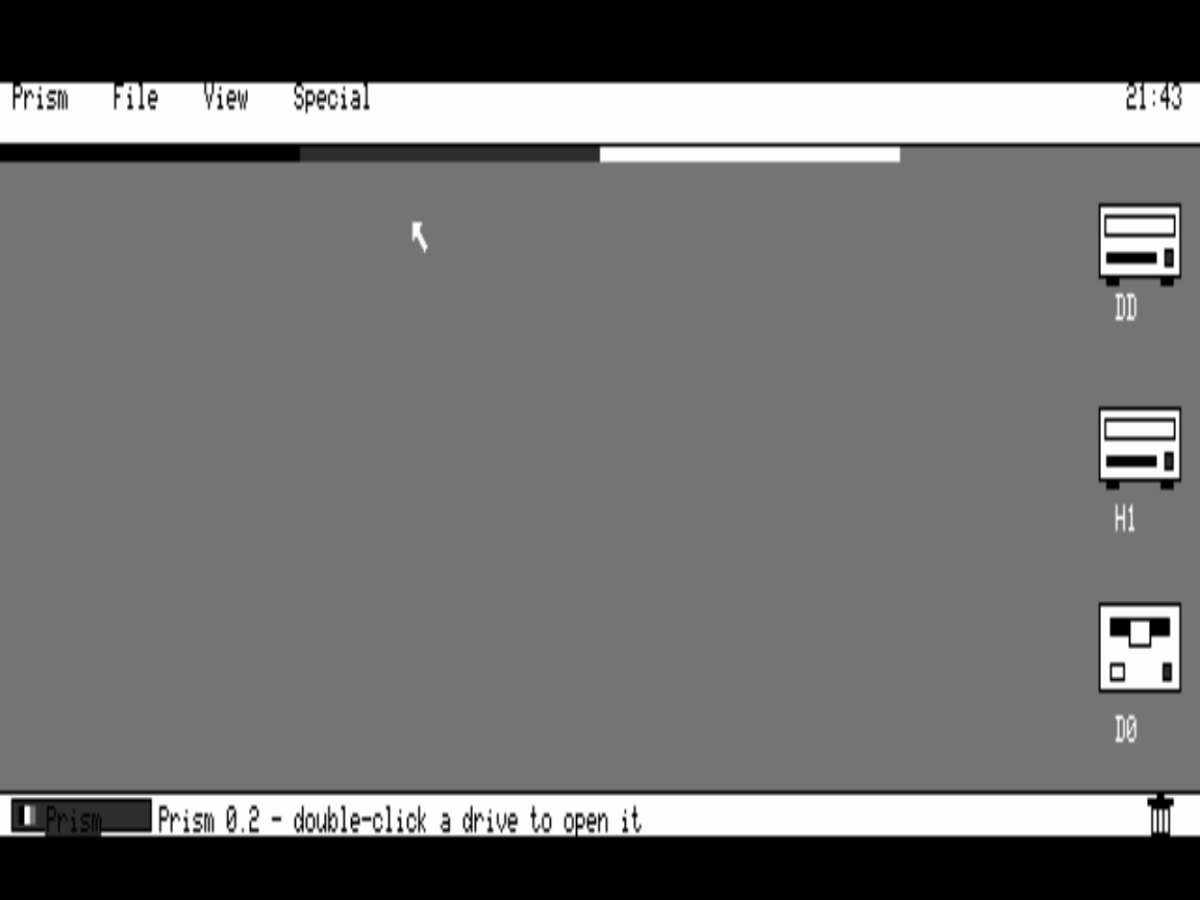
The Prism desktop in the Classic Mono theme: a grey desktop, white menu bar with a clock at the right, and three drive icons in black and white.
v0.2 Classic Mono theme The monochrome look, for the classic feel — one pick from the View menu, applied live.
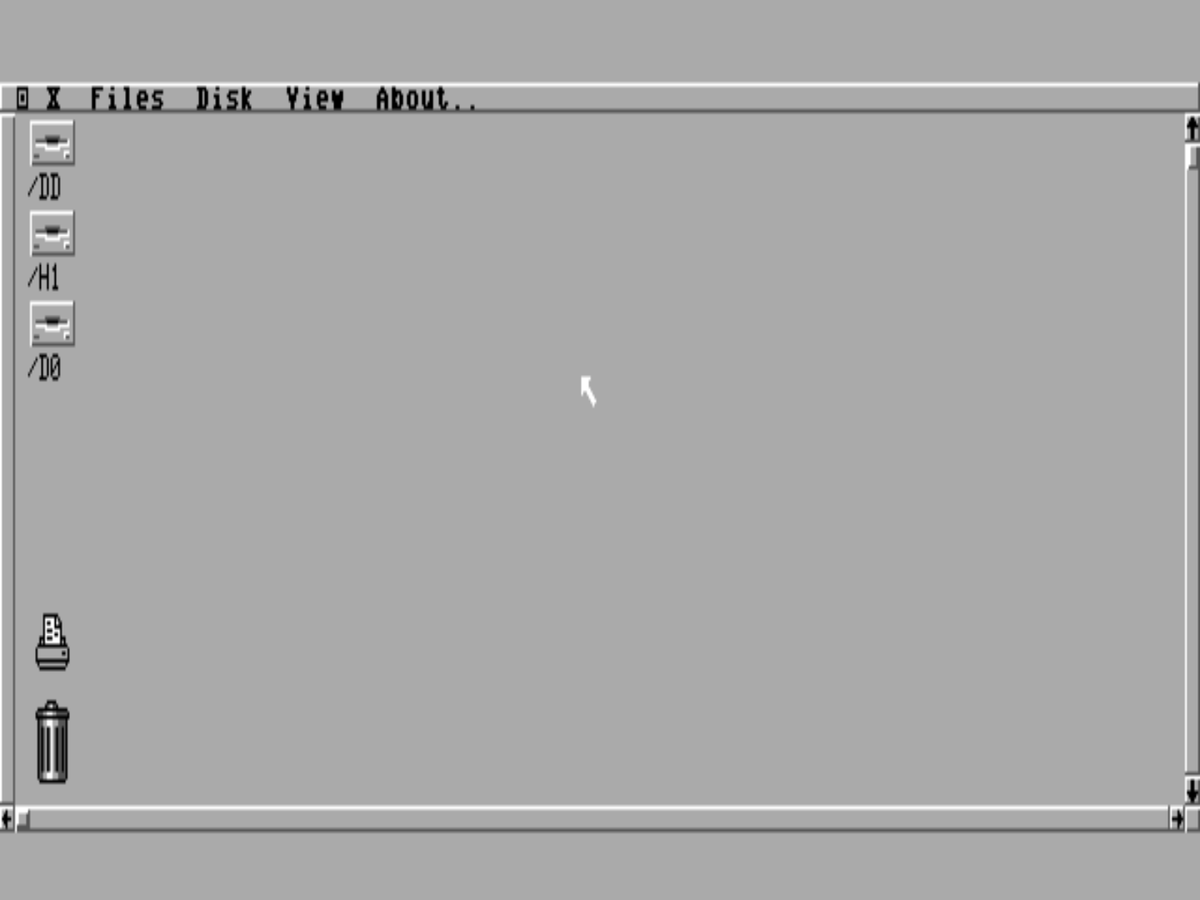
The NitrOS-9 EOU desktop at 640 wide: the GShell environment with its own menu bar, drive icons and a shell window — the system Prism runs on.
The platform NitrOS-9 EOU, underneath Prism runs on the EOU distribution of NitrOS-9 — a complete, modern OS-9 system for the CoCo 3.
The Prism desktop in the colour theme: solid blue desktop, white menu bar with a clock, three drive icons — hard drives for /DD and /H1, a floppy for /D0 — and the arrow pointer.
v0.2 The colour theme Solid blue ground, white paper, black ink, amber accents — flat colour now, no dither, with the selected drive lit in amber.
04

Requirements

Machine

Color Computer 3

A real CoCo 3, or an emulator that runs one faithfully.

Memory

512K or more

The standard EOU configuration; Prism itself is a small native program.

System

NitrOS-9 EOU

The Ease of Use distribution of NitrOS-9 Level 2 for the CoCo 3.

Input

Mouse or joystick

A CoCo mouse or joystick on the right controller port drives the pointer.

Prism is being developed and tested in MAME — on the HD6309 configuration with 2 MB of RAM — ahead of testing on the real hardware in storage. Every screenshot on this page is from that test rig.

05

Download

First public release in preparation

Not quite yet — and worth the wait.

The release disk is being prepared alongside the current development pass. When it lands, this page will offer the self-booting Prism disk image and the full source code — free, as promised. No placeholder links, no vapourware: it ships when it boots clean and looks the part.